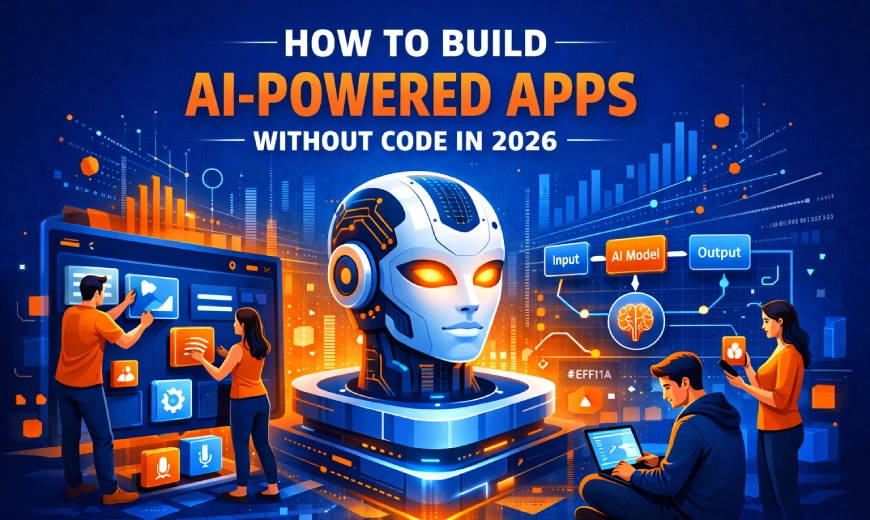
How to Build AI-Powered Apps Without Code in 2026
Discover how to build AI-powered apps without writing a single line of code in 2026. Explore top no-code platforms, a step-by-step guide, and real-world use cases.
Introduction: The App Development Revolution Is Here
Not long ago, building an app meant hiring a team of engineers, waiting months for a prototype, and spending tens of thousands of dollars before a single user clicked a button.
In 2026, that story has completely changed.
Thanks to the explosive growth of no-code and low-code AI platforms, anyone - a marketer, a product manager, a startup founder, or a small business owner - can now build sophisticated, AI-powered applications using nothing more than their ideas and a browser.
The no-code revolution is not coming - it is already here. In 2026, the question is no longer "Can I build an app without code?" It's "Which platform should I use?"
In this guide, we will walk you through everything you need to know: what no-code AI development means, why it matters in 2026, which platforms are leading the charge, and exactly how you can build your first AI-powered app today - step by step.
What Is No-Code AI Development?
No-code AI development refers to the use of visual, drag-and-drop platforms that allow users to design, build, and deploy AI-powered applications without writing any traditional programming code.
Instead of typing Python functions or configuring cloud servers, you work with:
- Visual workflow builders that connect logic with drag-and-drop blocks
- Pre-built AI models for tasks like text generation, image recognition, and data prediction
- Template libraries that give you a working app structure from day one
- One-click deployment tools that push your app live in seconds
These platforms abstract away the technical complexity, so you can focus entirely on what you want your app to do - not how to make it work under the hood.
No-Code vs. Low-Code: What's the Difference?
While the terms are often used interchangeably, there is a key distinction:
| Feature | No-Code | Low-Code |
|---|---|---|
| Coding Required | None | Minimal (optional) |
| Target User | Non-technical teams | Semi-technical users |
| Speed | Fastest | Fast |
| Customization | Moderate | High |
| Best For | MVPs, internal tools | Complex enterprise apps |
Why 2026 Is the Breakthrough Year for No-Code AI
We've been hearing about the "no-code revolution" for years. So what makes 2026 genuinely different? Several converging forces have made this the true tipping point:
AI Has Become the Engine Inside No-Code Platforms
The biggest shift in 2026 is that AI is no longer a feature you add to a no-code app - it is the core engine that builds the app itself. Modern platforms like Replit, Bubble, Blink, and Adalo use AI agents that interpret plain-language descriptions and generate working applications automatically, complete with databases, authentication, and deployment.
The Talent Gap Has Made No-Code Critical
Global demand for software developers continues to outpace supply by millions of positions. Businesses simply cannot wait for engineers to build every internal tool, customer portal, or workflow automation. No-code platforms have emerged as the practical solution.
Enterprise Adoption Has Gone Mainstream
No-code is no longer just for startups and side projects. In 2026, Fortune 500 companies, healthcare organizations, and government agencies are using low-code and no-code platforms to build production-grade applications - with proper security, compliance, and scalability.
The Platforms Have Matured Dramatically
Early no-code tools were limited in scope - great for landing pages, but not for real applications. Today's platforms handle complex backend logic, multi-user authentication, third-party API integrations, and AI agent orchestration from a single visual workspace.
Key Stat: By 2026, 70% of new business applications will be built using low-code or no-code platforms - up from less than 25% just a few years ago. (Gartner)
Top No-Code AI Platforms in 2026
Here are the leading platforms that are empowering non-technical builders to create powerful AI apps today:
Replit
Best for Full-Stack AI AppsReplit merges no-code simplicity with full development power. Its Autonomous AI Agent builds, tests, and deploys apps from plain-English prompts.
- Best for: Startups and entrepreneurs
- Pricing: Free to $40/user/month
- Standout: Full-stack generation from text prompts
Bubble
Best for Complex Web ApplicationsBubble handles frontend design, backend logic, databases, and workflows in one environment - without writing traditional code.
- Best for: SaaS products, marketplaces, CRMs
- Massive plugin ecosystem
- Decade-long track record
Adalo
Best for Mobile AppsRanked #1 among visual builders for non-developers, Adalo is the go-to for building database-driven web apps and native iOS/Android apps.
- Best for: App Store and Google Play publishing
- Pricing: Under $40/month
- Standout: True native mobile app publishing
Zapier
Best for AI Workflow AutomationZapier connects with over 8,000 apps and offers AI chatbots and AI agents that run complex multi-step workflows with autonomy.
- Best for: Cross-platform workflow automation
- Pricing: Free plan available; from $19.99/month
- Plain-English prompt configuration
Airtable
Best for Data-Driven AI AppsAirtable's AI-native platform transforms your data into custom interfaces, automations, and agents with conversational app builder Omni.
- Best for: Operations teams
- Supports OpenAI, Gemini, Llama, Anthropic
- Enterprise security for millions of records
Figma Make
Best for Design-to-App WorkflowsFigma Make lets designers go from prototype to functional interactive app within the same platform using plain language descriptions.
- Best for: Designers and product teams
- Design-to-deployment in one tool
- Export code to GitHub repository
Step-by-Step: How to Build an AI-Powered App Without Code
Ready to build your first AI-powered app? Here is a clear, actionable process you can follow today:
Define Your App Idea Clearly
Before opening any platform, write a clear one-paragraph description of your app. Answer these questions:
- What problem does this app solve?
- Who is the target user?
- What are the 3 core features it needs?
- What data does it need to store or process?
The clearer your description, the better AI platforms will understand and build what you need.
Choose the Right Platform
Match your app type to the right tool using this quick guide:
- Building a mobile app? → Adalo or FlutterFlow
- Building a web app or SaaS? → Bubble or Replit
- Building an AI workflow automation? → Zapier or Make
- Building from your existing data? → Airtable or Glide
- Building from a design file? → Figma Make
Generate Your App with AI
On most modern platforms, you simply type a description of your app into the AI prompt field. The platform will generate your initial app structure, including screens, database schema, and basic logic. Review what was generated and note what needs to be adjusted.
Customize with Visual Tools
Use the platform's drag-and-drop editor to refine your app. Adjust layouts, update color schemes, add or remove features, and connect your app to external data sources or APIs. Most platforms offer pre-built components for common needs like user login, payment processing, and email notifications.
Integrate AI Capabilities
This is where your app becomes truly powerful. Most platforms allow you to add AI features like:
- Chatbots trained on your own data for customer support
- AI agents that automate multi-step workflows independently
- Text generation for dynamic content creation
- Image analysis and document processing
- Predictive analytics from your business data
Test and Iterate
Use the platform's built-in preview tools to test your app on different devices. Invite a small group of users to try it, collect feedback, and use AI prompts to make refinements quickly. Modern platforms allow you to go from feedback to updated app in minutes - not days.
Deploy and Launch
When your app is ready, most platforms offer one-click deployment that automatically handles servers, security, scaling, and hosting. You can publish to the web, the Apple App Store, or Google Play directly from the same workspace where you built everything.
Pro Tip: Don't wait for perfection. Launch a simple version, gather real user feedback, and iterate. No-code platforms make updates fast and easy - your best product insights will come from real users, not planning sessions.
Real-World Use Cases: What People Are Building
Here are inspiring examples of what non-technical teams are building with no-code AI platforms in 2026:
Customer Support AI Bot
A marketing team built an AI-powered customer support chatbot trained on their product documentation - in a single afternoon using Airtable and Zapier, with zero developer involvement.
Inventory Management App
A retail chain's operations manager built a mobile inventory tracker with barcode scanning and AI-powered reorder predictions using Adalo - replacing a manual spreadsheet process.
Lead Qualification Tool
A sales team built an AI agent that automatically qualifies inbound leads, enriches contact data, and routes hot leads to the right sales rep - using Zapier's AI agent features.
Internal Knowledge Base
An HR department built an AI-powered internal knowledge base where employees can ask questions in plain language and get instant answers from company policy documents.
SaaS Product MVP
A solo founder launched a fully functional SaaS product - complete with user authentication, subscription billing, and an AI-powered analytics dashboard - raising seed funding before hiring a single engineer.
Honest Limitations: What No-Code AI Can't Do (Yet)
No-code AI is powerful, but it's important to go in with clear expectations. Here's what still requires human oversight or traditional development:
Current Limitations
- Highly complex business logic with dozens of edge cases and conditional branches
- Applications requiring custom AI model training on proprietary datasets at scale
- Strict regulatory compliance environments (some fintech, healthcare) needing custom infrastructure
- High-performance applications processing millions of real-time requests per second
- Long-term architectural decisions that affect years of future development
The good news? For the vast majority of business apps - internal tools, customer portals, workflow automations, MVPs, and AI-enhanced productivity apps - no-code platforms in 2026 are more than capable of delivering production-ready results.
Conclusion: The Future Belongs to Builders, Not Just Coders
The gap between having an idea and having a working AI-powered app has never been smaller. In 2026, the tools exist, the platforms are mature, and the process is accessible to anyone with the vision and initiative to start.
Whether you're a solo entrepreneur validating an idea, a business team automating a broken process, or an enterprise looking to accelerate digital transformation - no-code AI development gives you the power to build, launch, and iterate faster than ever before.
Start Building Your AI-Powered App Today
The no-code revolution is here, and the only thing standing between you and your app is the decision to start. Pick a platform, define your idea, and build something amazing.
Get Started NowFrequently Asked Questions (FAQ)
Yes - in 2026, platforms like Adalo, Bubble, and Replit have documented production deployments at serious scale. Adalo alone has over 1 million apps created, including ventures that raised venture funding. For most business applications, no-code platforms are fully production-ready.
No technical background is required for most modern no-code AI platforms. If you can describe what you want in plain English and are comfortable with basic computer tools, you have everything you need to start building today.
Most platforms offer free tiers that are sufficient for prototypes and small apps. Paid plans typically range from $19 to $40 per month for serious production use - a fraction of the cost of hiring a development team.
AI is not replacing builders - it is empowering them. The role of the no-code developer has evolved into an AI-orchestrator who designs workflows, connects systems, and directs AI agents to build and automate. This is a more powerful role, not a diminished one.
Vibe coding platforms (like Bolt and Lovable) use AI to generate complete applications from natural language but produce actual code files that you can export and modify. No-code platforms abstract code entirely, offering purely visual interfaces. Both are valid approaches depending on whether you want to own the underlying code.