IT & Software Development Company | IT Staffing Services | Talent Smart

ISO 27001 / ISMS Certified
ARTIFICIAL INTELLIGENCE

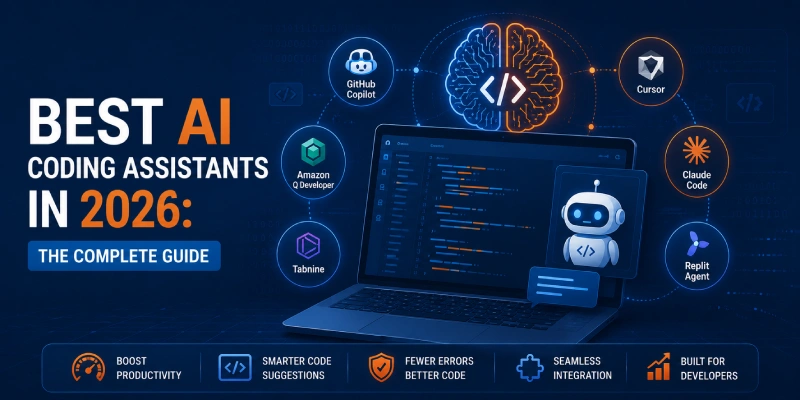
Best AI Coding Assistants in 2026: The Complete Guide

best_ai_coding_agents

Share :

Complete Guide 2026

Best AI Coding Assistants in 2026: The Complete Guide

Discover the best AI coding assistants in 2026. Compare GitHub Copilot, Cursor, Tabnine & more. Find the right AI tool to boost your coding productivity.

Why AI Coding Assistants Are No Longer Optional in 2026

The way we write code has fundamentally changed. AI coding assistants have evolved from novelty plugins into indispensable productivity engines - used by millions of developers worldwide to autocomplete, debug, document, and even architect code in real time.

Whether you're debugging Python scripts at midnight or scaffolding a complex microservices architecture, the best AI for coding in 2026 can dramatically accelerate your workflow. But with dozens of options flooding the market, choosing the right tool has never been more important - or more confusing.

This comprehensive guide cuts through the noise. We've evaluated, tested, and ranked the top AI coding assistants based on code quality, language support, IDE integration, pricing, and privacy controls - so you can make a confident, informed choice.

Key Insight

A 2026 developer productivity survey found that 72% of professional developers now use at least one AI coding assistant daily - up from 38% just two years ago.

What Is an AI Coding Assistant?

An AI coding assistant is an intelligent software tool that integrates directly into your development environment to provide real-time code suggestions, completions, explanations, and generation capabilities. These tools are powered by large language models (LLMs) trained on billions of lines of code from open-source repositories.

Businesses are also adopting AI development services to integrate custom code generation, intelligent automation, and AI-powered workflows into their software development lifecycle.

Today's leading platforms can:

Generate entire functions or classes from plain-English descriptions
Identify and fix bugs with contextual explanations
Convert code between programming languages
Write comprehensive unit tests automatically
Explain legacy or unfamiliar codebases in plain language
Suggest security fixes and performance optimisations

How to Choose the Best AI Coding Tool for Your Needs

Not all AI pair programmers are created equal. Here are the critical factors to evaluate before committing to a platform:

1. Language & Framework Support

Ensure the tool supports your primary programming languages. Most top tools cover Python, JavaScript, TypeScript, Java, C++, and Go - but coverage varies significantly for niche languages like Rust, Elixir, or Kotlin.

2. IDE & Editor Integration

Your AI assistant should live inside your existing workflow. Check for native plugins for VS Code, JetBrains IDEs, Neovim, or your preferred environment.

3. Privacy & Data Handling

If you work with sensitive codebases or proprietary IP, evaluate whether the tool trains on your code snippets. Enterprise-grade tools like Tabnine offer fully local (on-premise) deployment.

4. Context Window & Codebase Awareness

Advanced AI coding assistants like Cursor can index your entire repository, enabling deeply contextual suggestions. Basic tools only process the current file.

5. Pricing & Team Features

Individual developers should weigh free tier generosity. Teams should assess collaboration features, admin controls, and SSO support.

Quick Comparison: Top AI Coding Assistants in 2026

Tool Best For Language Support Free Tier
GitHub Copilot Full-stack devs 30+ languages Free (limited)
Cursor Power users All major Free tier
Tabnine Privacy-first teams 30+ languages Yes
CodeWhisperer AWS developers 15+ languages Yes (Individuals)
Replit Ghostwriter Beginners 50+ languages Limited
Codeium Individual devs 70+ languages Yes (unlimited)
AI Developer Workspace with Multiple Coding Assistants

In-Depth Reviews: Best AI Coding Assistants in 2026

1. GitHub Copilot - The Industry Standard

GitHub Copilot, powered by OpenAI's Codex and GPT-4o models, remains the most widely adopted AI coding assistant in 2026. Deeply integrated with VS Code, JetBrains, and GitHub itself, Copilot excels at context-aware completions across 30+ programming languages. Its latest update introduced Copilot Workspace - an agentic mode where it can plan and implement multi-file changes autonomously.

Best for: Full-stack developers & teams already on the GitHub ecosystem
Pros
  • Exceptional multi-language support (30+)
  • Deep VS Code & JetBrains integration
  • Copilot Chat for conversational coding
  • Agentic Workspace for complex multi-file tasks
Cons
  • Privacy concerns for sensitive codebases
  • Requires paid plan for full features ($19/month)
  • Can suggest outdated library patterns

Which AI Coding Tool Should You Choose? - A Quick Decision Guide

You're on a budget or want free → Go with Codeium (unlimited free) or Amazon CodeWhisperer
You want the most popular, battle-tested tool → GitHub Copilot
You want maximum AI power & codebase awareness → Cursor
Privacy & enterprise compliance is critical → Tabnine (on-premise)
You're primarily an AWS / cloud developer → Amazon CodeWhisperer
You're just starting out → Replit Ghostwriter or Codeium

Key Trends Shaping AI Coding Assistants in 2026

The AI coding landscape is evolving at a breathtaking pace. Here's what's defining the next generation of tools:


Agentic Coding

Tools like Cursor and Copilot Workspace can now autonomously plan, write, and refactor multi-file changes from a single high-level instruction.

Multi-Model Flexibility

Developers increasingly expect to choose their underlying LLM (GPT-4o, Claude 3.7, Gemini 1.5 Pro) rather than being locked into a single model.

Voice-Driven Development

Early integrations with voice assistants allow developers to dictate code intent in plain English, hands-free.

Codebase-Level Context

Whole-repository indexing is becoming the standard, moving beyond single-file context windows.

Security-First Generation

Built-in vulnerability scanning and compliance checks are now table-stakes for enterprise AI coding tools.

Best Practices for Using AI Coding Assistants Effectively

Pro Tip

Think of your AI coding assistant as a brilliant but junior colleague - always review its output, especially for security-sensitive code, authentication logic, or database operations.

Review every suggestion critically - AI can generate plausible but incorrect code
Use descriptive comments to give the AI richer context for better suggestions
Leverage chat modes (e.g., Copilot Chat, Cursor Chat) for debugging and explanation tasks
Keep your tools updated - model improvements ship frequently
Combine AI tools with traditional code review processes and static analysis
Set clear prompts - the more specific your instruction, the better the output

Frequently Asked Questions - Best AI for Coding 2026

GitHub Copilot remains the most widely adopted AI coding assistant in 2026, but Cursor and Codeium are rapidly gaining ground due to their superior context awareness and generous free tiers. The 'best' tool depends on your workflow, tech stack, and privacy requirements.

Several top tools - including Codeium, Tabnine, and Amazon CodeWhisperer (Individual) - offer robust free tiers. GitHub Copilot offers a limited free plan. For professional use with team features, paid plans typically range from $10 to $39/month per user.

No. AI coding assistants are force multipliers, not replacements. They automate repetitive tasks, reduce boilerplate, and accelerate debugging - but they still require human oversight for architecture decisions, code reviews, and business logic validation.

Replit Ghostwriter is purpose-built for beginners, with an integrated browser-based IDE. Codeium is also an excellent starting point due to its free tier and multi-language support across all major IDEs.

AI-generated code can contain vulnerabilities if not reviewed carefully. Tools like GitHub Copilot and Amazon CodeWhisperer include built-in security scanning. Always validate AI-generated code before pushing to production, especially for authentication and data-handling logic.

Codeium supports 70+ programming languages, making it the broadest in language coverage. Replit Ghostwriter supports 50+, while GitHub Copilot and Tabnine each support 30+ languages.

Ready to Supercharge Your Coding Workflow?

Discover the latest AI tools, in-depth reviews, and expert guides to help you code smarter - not harder.

Explore More Insights & Guides

Leave a comment

Your email address will not be published. Required fields are marked *

GET IN TOUCH

Ready to Get Started?